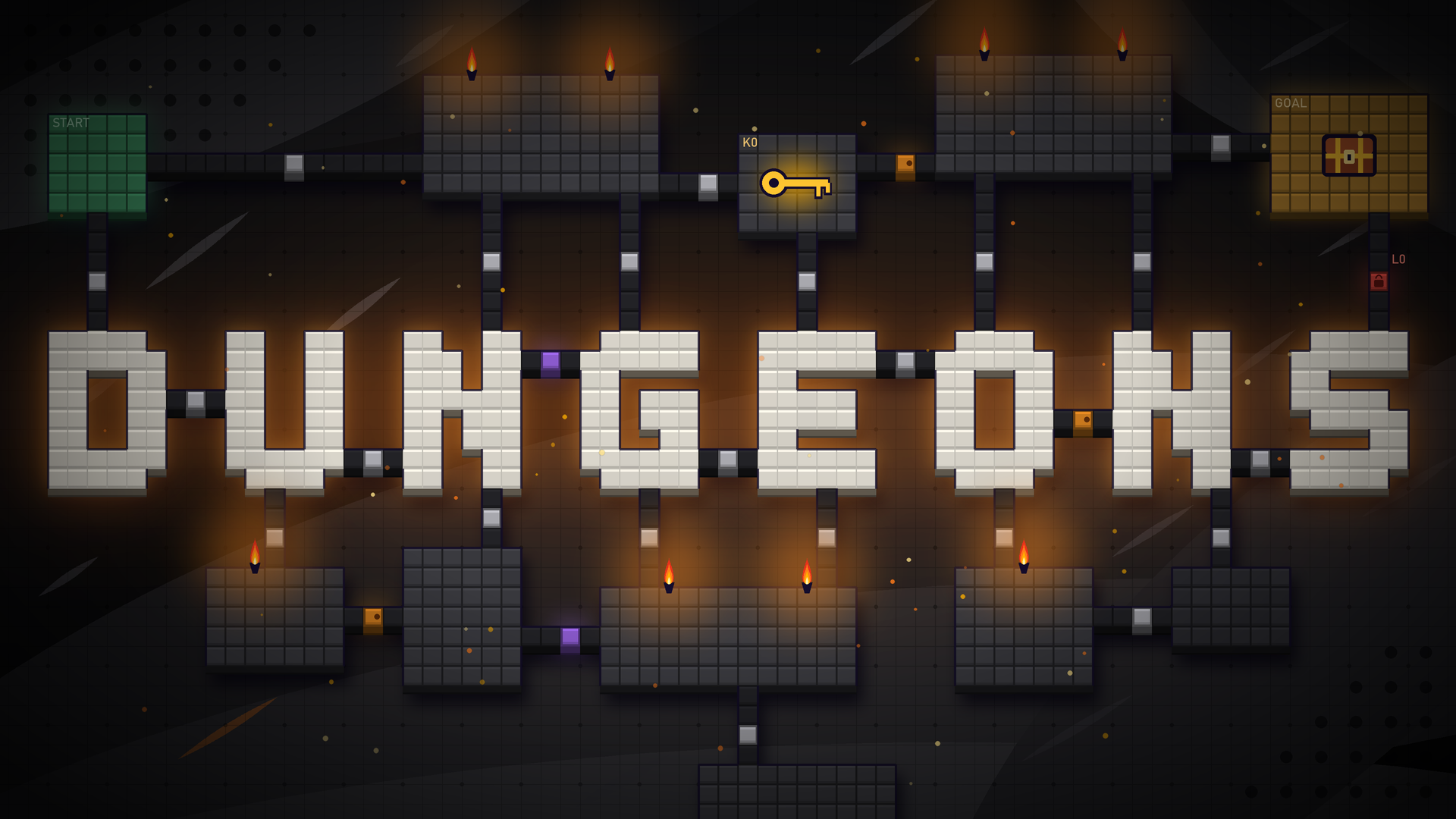



NsDungeons makes dungeon floors with a lock-and-key structure, after the cyclic method of Unexplored (Boris the Brave, 2021). It gives an abstract graph on a fixed grid (rooms, doors, locks, keys, one-way doors, and hidden doors) and a cell layout of that graph. An editor tab shows each step of a generation.
NsDungeons does not build game floors, move characters, or find paths. Your game builds its floor from the layout and owns its walk grid and its movement. The demo actor builds a plain greybox floor only to show the plugin.
NsDungeons folder into the Plugins folder of your project."NsDungeons" to the dependencies of the game module that calls the generator.The modules build for Windows (Win64) only. No project settings are necessary.
NsDungeonRuleSet and name the asset.Generate Dungeon with the rule set and a seed.Get Layout Cell and Cell To Local to place floor pieces.#include "NsDungeonGenerator.h"
const FNsDungeonResult Result = FNsDungeonGenerator::Generate(RuleSet->Settings, Seed);
if (Result.bValid)
{
for (const FNsDungeonNode& Node : Result.Graph.Nodes)
{
// Node.Role, Node.Coord, Node.Tags: one room for each used node
}
}
L_NsDungeonsDemo (/NsDungeons/Demo/L_NsDungeonsDemo).The demo actor builds a greybox floor from its rule set and seed: room floors, corridors, walls, and door posts in the colors of their kind. The play overlay is on during play.
| Key | Effect |
|---|---|
| N | Next seed |
| P | Previous seed (not below 0) |
| R | A random seed |
| 1 to 8 | Shows the graph of that step over the floor |
| 9, 0 | Hides the graph |
A generation has 8 steps, so the 9 key shows no step.
FNsDungeonGenerator::Generate(Settings, Seed), or Generate Dungeon in Blueprint.bValid is true.Result.Seed. A seed that fails moves on to the next seeds, so Result.Seed can differ from the seed that you asked for.Result.Seed to make the same floor again.Generate(Settings, Seed, true), or set Keep Steps on Generate Dungeon.Result.Steps. Each step has a name, a note, and a copy of the graph.Result.Layout.Cells, get the kind: Empty, Room, Corridor, or Door.Rooms, read the node, the first cell (Min), and the size.Doors, read the cell, the edge, the kind, and the direction.Cell To Local and your cell size, then the transform of your floor actor.One cell is one step of the walk grid of your game. Cell (0, 0) has its middle at half a cell from the origin.
Graph.FindEdge(NodeA, NodeB).Graph.Edges[Edge].Kind.Graph.Keys[Key].LockId.Graph.Locks[LockId].Edge.Camp, Count to 1, and Place to a place: Any, DeadEnd, MajorCycle, NearGoal, or Far.Node.Tags.Node.Distance: the number of doors from the start, through every door.Node.bDeadEnd for a room with one door.Node.bMinorCycle for a room on a side loop.FNsDungeonGraph with Reset, Connect, AddLock, and AddKey.StartNode and GoalNode.FNsDungeonGenerator::Validate(Graph, Message).Message for the reason.NsDungeonDebugComponent to your floor actor.Set Dungeon with the result and your cell size in cm.NsDungeons.ShowDebug 1.Cell (0, 0) starts at the actor origin.
Demo folder to Directories to never cook.NsDungeonRuleSet)| Setting | Default | Effect |
|---|---|---|
| Grid Size | 5 by 5 | The node grid (3 to 16 on each side). Each used node is a room |
| Min Start Goal Distance | 3 | The smallest grid distance from the start to the goal (2 or more) |
| Major Cycles | LockAndKey 2, TwoKeys 1, OneWayValve 1, Simple 1 | The major cycle types and their weights. A weight of 0 turns a type off |
| Minor Cycles | 1 | The side loops after the major cycle |
| Minor Lock Chance | 0.5 | The chance of a locked side loop: a lock at its entry, a one-way door out, and the key in an earlier room |
| Hidden Shortcut Chance | 0.5 | The chance of a hidden door between two rooms side by side that are far apart on the way |
| Target Rooms | 12 | Dead ends grow the floor to this many rooms, as far as the grid allows |
| Room Tags | None | Tags to put on rooms, each with a Tag, a Count (default 1), and a Place (default Any) |
| Room Cells Min | 3 | The smallest room, in cells on each side |
| Room Cells Max | 5 | The largest room, in cells on each side. Each room takes a random size between the two |
| Corridor Cells | 2 | The cells between two blocks of rooms: the shortest corridor |
| Lock Kind | Door |
The name on new locks |
| Key Kind | Key |
The name on new keys |
| Max Seed Tries | 20 | The tries with the next seeds before a failure |
Tag places:
| Place | Rooms |
|---|---|
Any |
Any room but the start and the goal |
DeadEnd |
A room with one door |
MajorCycle |
A room on the major cycle |
NearGoal |
The room nearest to the goal, then the next ones |
Far |
The room farthest from the start, then the next ones |
| Type | Shape |
|---|---|
Simple |
Two routes to the goal, no lock |
LockAndKey |
The goal is behind a lock. Its key is at the end of the other route, which a one-way door closes off from the goal |
TwoKeys |
As LockAndKey, with a second key halfway along the locked route |
OneWayValve |
One route to the goal. The other route is a one-way way back from the goal |
NsDungeonDemoActor)| Setting | Default | Effect |
|---|---|---|
| Rule Set | None | The rule set. None uses the default settings |
| Seed | 7 | The seed of the dungeon |
| Cell Size | 100 | The size of a cell in cm |
| Wall Height | 150 | The height of the walls in cm |
A change to Seed or Rule Set in the Details panel builds the floor again in the editor viewport. The Rebuild button does the same.
NsDungeons.SavePreview <Seed> <File.png> [Step] [CycleType]: An editor console command. It saves a picture of the preview for a seed. With no file, it saves to Saved/NsDungeonsPreview.png of the project. The step starts at 1 (the last step when you leave it out). A cycle type such as LockAndKey shows that major cycle alone, with no side loop and no shortcut.NsDungeons.ShowDebug: A console variable, 0 by default. Set it to 1 to draw the overlay of every NsDungeonDebugComponent that has a dungeon. The overlay shows the rooms, the doors in their kind colors, and labels for the start, the goal, the tags, the keys, and the locks. The overlay uses debug draw, so a shipping build does not show it. The demo actor sets the variable to 1 during play and gives back the old value at the end.LogNsDungeons: A seed that fails logs the seed that worked. A failure of every try logs an error with the reason.Colors in the preview and the overlay: green start, gold goal, grey open door, red locked door, orange one-way door, purple hidden door.
| Problem | Cause | Fix |
|---|---|---|
bValid is false, and the log shows “No valid dungeon from seed …” |
No try out of Max Seed Tries gave a valid dungeon. A small grid or a large Min Start Goal Distance are the usual causes | Make Grid Size larger, make Min Start Goal Distance smaller, or raise Max Seed Tries |
Result.Seed differs from the asked seed |
The asked seed failed, and a next seed worked | Keep Result.Seed to make the same floor again |
| The floor has fewer rooms than Target Rooms | No free grid node is next to a room | Make Grid Size larger |
| A room tag is missing | Each room takes one tag, and no free room was left | Lower the tag Count, or raise Target Rooms |
| The overlay draws nothing | NsDungeons.ShowDebug is 0, or Set Dungeon was not called, or the build is a shipping build |
Set the variable to 1 and call Set Dungeon |
| The layout is empty | The result is not valid. Only a valid result gets a layout | Read Result.Message and fix the settings |